| Mavica.net Sign in | Join | ||||||
| ||||||
| UPLOAD Find a camera | Manuals | Service Desk | Wiki | ||||||
| ||||||
KNOW YOUR MAVICA / THE MANUAL DESK
MVC-FDR3E
Specifications and manual chapters for this model.
Service help for MVC-FDR3E → First checks, document coverage and matching repair videos. Availability varies by model.
MaviCap digital still-image capture adaptor. It records images from external video equipment; camera lens and image-sensor specifications do not apply.
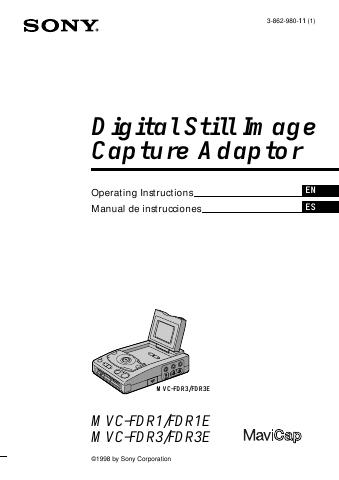 Open full manual (PDF) Shared manual: MVC-FDR1 / MVC-FDR1E / MVC-FDR3 / MVC-FDR3E. Cover illustrations may show the other model. |
Sony document 3-862-980-11(1), shared by all four models. English PDF pages 1–35; Spanish section follows. FDR1/FDR3 are NTSC, FDR1E/FDR3E are PAL; only FDR3/FDR3E have an LCD. These are image-capture adaptors, not cameras with a built-in lens.
From the specifications
| Recording system | Digital still-image capture adaptor; PAL PDF p. 4 |
|---|---|
| Recording media | 3.5-inch 2HD floppy disk; MS-DOS, 1.44 MB PDF p. 31 |
| Largest listed still-image size | 752 × 568 PDF p. 31 |
| Recording formats | JPEG; BMP when BITMAP is enabled PDF p. 18 |
| Batteries named in the manual | NP-F550 / NP-F750 / NP-F950 InfoLITHIUM battery packs PDF p. 23 |
| LCD dot count | 2.5-inch TFT LCD; 84,000 dots PDF p. 31 |
| Input / output connectors | S VIDEO and VIDEO input/output; 8-pin mini-DIN CAMERA input PDF p. 31 |
Open the right chapter
- Model differences and recording formatPDF p. 4
- Power and TV colour systemsPDF p. 5
- Preparation and connectionsPDF p. 7
- Recording images from a video sourcePDF p. 11
- Viewing imagesPDF p. 16
- Viewing images on a computerPDF p. 18
- Image filenamesPDF p. 19
- Battery packsPDF p. 23
- PrecautionsPDF p. 28
- TroubleshootingPDF p. 29
- SpecificationsPDF p. 31
Computer-transfer instructions refer to period software. PDF page links may open at the beginning in older PDF viewers; use the shown page number.
Named accessories
Check the exact part number. These are parts named in each camera’s own manual, not an exhaustive compatibility list. A similar name, connector or battery shape is not proof of compatibility. Supplied items can vary by region. Read the original setup and safety instructions before connecting equipment.
| Accessory | Manual reference | Camera / source |
|---|---|---|
| NP-F550 / NP-F750 / NP-F950Battery | Named optional InfoLITHIUM battery packs | MVC-FDR3E PDF p. 23 |
| CR2025Backup battery | Specified lithium backup battery; read replacement warnings | MVC-FDR3E PDF p. 26 |
Community discussions
Find questions about MVC-FDR3E (sign-in) · Community Wiki
Sources Specifications and accessory references on these pages come only from the linked Sony operating instructions. Page links use the PDF page counter, which can differ from printed page numbers. Selected facts are transcribed; the full instructions remain the authority. Reviewed 2026-10-22. Community Wiki and member advice are separate, unverified contributions. No affiliation with Sony.